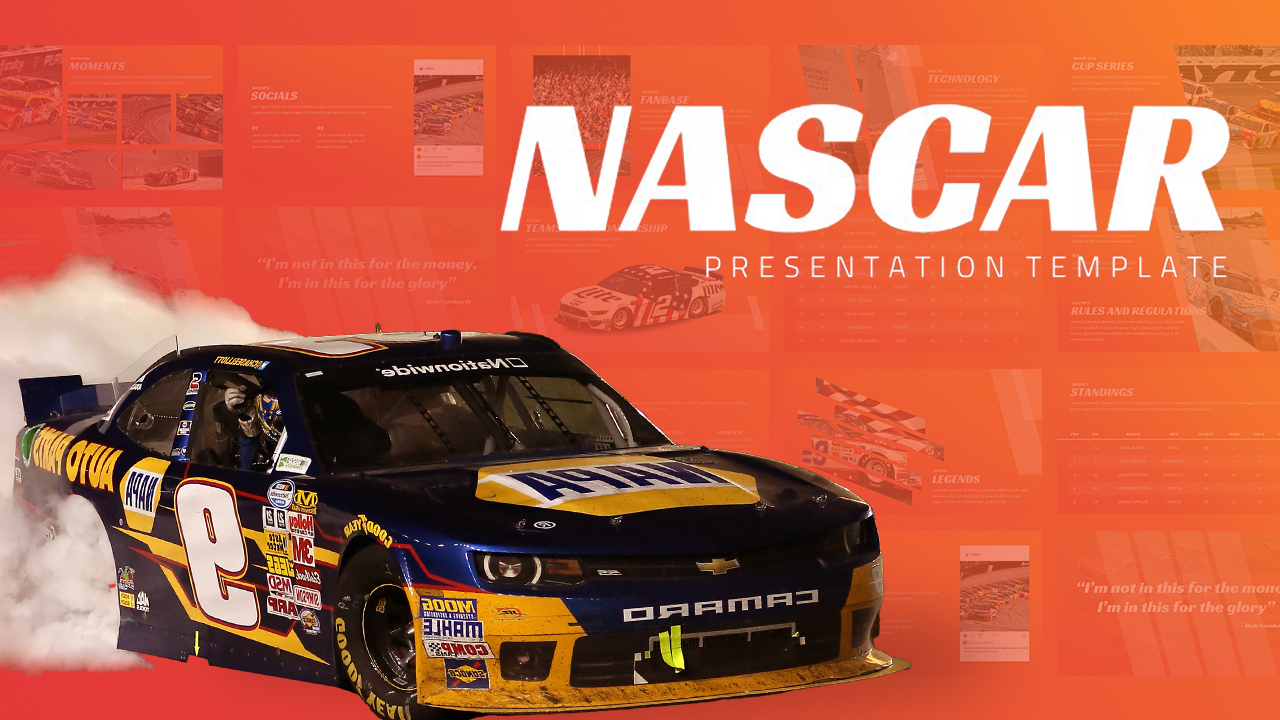
Download NASCAR Racing Presentation Template
Item ID: SCF01800
PowerPoint,Canva
100% Fully Customizable
Free to use
Liked the template? Support SlideChef!
Give us Donation! Help to keep our Templates Free for ever
Hi there! We hope you’re enjoying SlideChef for your presentations. As a free platform, we rely on donations to keep things running. If you find our resources helpful, please consider a small donation. Thank you!
How to use this NASCAR Racing Template
The NASCAR Car Racing Template is engineered for high-speed customization across Microsoft PowerPoint and Canva. Whether you are breaking down the Cup Series season, pitching a team sponsorship, or presenting race car engineering to students, follow this step-by-step guide to take the green flag.
How to Use in Microsoft PowerPoint
- Unlock Your Deck: Open the downloaded .pptx file in Microsoft PowerPoint and click Enable Editing on the yellow security banner at the top of your workspace.
- Set Your Starting Pole Position: Customize the cover slide with your motorsport channel name, podcast branding, or presentation topic against the high-banked Daytona speedway backdrop.
- Chart the Historic Milestones: Use the A Brief History timeline slide to guide your audience through NASCAR’s evolution from 1947 Daytona Beach sand tracks to modern 2026 Chase format regulations.
- Explain the Race Weekend Stages: Walk through the 5-step process on How a NASCAR Race Works? to explain handling adjustments in Practice, single-car Qualifying, stage-based Race laps, four-tire Pit Stops, and the final checkered flag Finish.
- Break Down Cup Car Mechanics: Detail performance engineering on The NASCAR Cup Car slide by updating component cards for the high-output V8 engine, aero body panels, Goodyear tires, and the reinforced roll cage.
- Categorize Tracks & Driver Skills: Highlight distinct challenges across Superspeedways, Intermediate Ovals, Short Tracks, and Road Courses on The Tracks slide, then showcase essential driver skills like racecraft, car control, and decision-making on The Drivers layout.
- Present Points & Safety Standards: Review modern driver impact protection on the Safety & Technology dashboard, then explain playoff standings and 55-point race rewards using The Road to the Championship slide.
- Deliver Live or Export Handouts: Press F5 to start a full-screen presentation, or navigate to File > Export > Create PDF/XPS Document to export race guides, team pitch sheets, and fan handouts.
How to Use in Canva
- Open Your Design: Click the provided Canva template link and select Use template for new design to generate an editable copy directly in your Canva workspace.
- Update Text & Race Statistics: Double-click any headline, stage description, or stat card across all 10 slides to insert your own racing data, driver bios, or event schedules.
- Swap Track Photos & Car Renders: Drag and drop your favorite team liveries, circuit overhead shots, or driver portraits into the pre-set image grids.
- Match Your Team Palette: Adjust the bold royal-blue headers, red accents, and white backgrounds to align with your sponsor colors or favorite racing team branding.
- Collaborate With Your Crew: Click the Share button in the top menu to invite fellow racing analysts, content creators, or event organizers to review and edit the slides together in real time.
- Present Online or Download Assets: Deliver your presentation directly in your web browser by selecting Present, or choose Share > Download to export PDF Print files for trackside programs, or PNG images for social media race recaps.