

Table of Contents
- Beyond the Mute Button: Essential Rules for Online Meeting Success
- Mastering the Virtual Etiquette
- Virtual Meeting Etiquette: 10 Rules to Ensure Success
- What is Online Meeting Etiquette?
- Why is virtual meeting etiquette important?
- Virtual meeting ground rules for Meeting participants
- Improve Your Virtual Meetings
Virtual Meeting Etiquette : Essential Tips to Make Your Presentation Noticeable
Beyond the Mute Button: Essential Rules for Online Meeting Success
The professional world has fundamentally shifted. With major companies now relying on hybrid and fully remote models—where an average of 28% of employees work remotely at least part of the time—the online video conference has become the new boardroom. This reliance on platforms like Zoom and Teams means that mastering virtual meeting etiquette is no longer a soft skill; it is a critical career competency. Bad habits, from poor lighting to distracting screen shares, can quickly lead to “Zoom Fatigue” and completely overshadow your expertise. Conversely, when executed flawlessly, these meetings are powerful accelerators that can help you close a million-dollar deal, impress a client, or make an unforgettable pitch.
Mastering the Virtual Etiquette

A virtual presentation demands a specific set of skills that differ significantly from an in-person gathering. Learning advanced virtual meeting etiquette is vital because minor digital errors—from unprofessional backgrounds to poor screen sharing—can ruin your message and undermine your professionalism.
This blog guides you beyond basic tips, covering the essential behavioral and technical rules required for success. We show you exactly how to maximize your professional presence, ensuring your visually compelling presentation is always noticeable and drives successful outcomes.
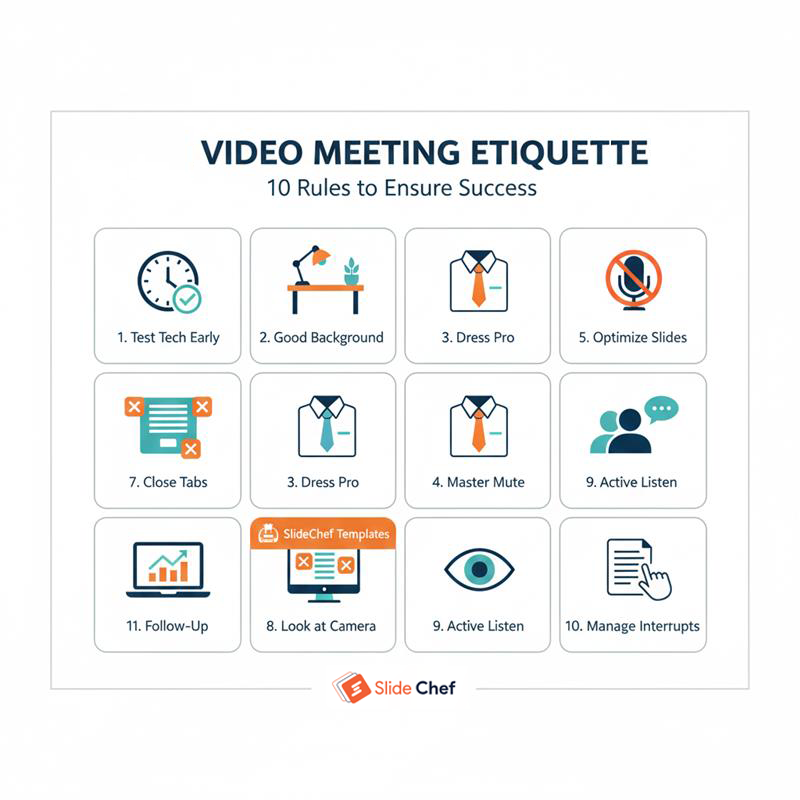
Virtual Meeting Etiquette: 10 Rules to Ensure Success
In the fast-paced world of virtual communication, following basic manners isn’t enough; professional discipline is required. Here are the virtual meeting etiquette rules that separates the polished professionals from the perpetually distracting. Master these guidelines to ensure that your message is always delivered without technical hitches or behavioural missteps, guaranteeing a focused and successful meeting every time. So follow these video conference meeting etiquette tips by SlideChef experts.
Test Your Tech 5 Minutes Early
Never log on at the exact start time. Join the meeting early to test your microphone, camera, and headphone connections. This prevents the awkward minute of silence while you troubleshoot audio issues, respecting everyone’s time and demonstrating preparedness.
Control Your Background (and Your Light)
A cluttered kitchen or bedroom background is unprofessional. Use a clean, plain wall, or a simple, non-distracting virtual background. Crucially, ensure your main light source is in front of you, illuminating your face, not creating a distracting silhouette from behind.
Dress Professionally (Full Body Rule)
While tempting to wear pajamas, dress as you would for an in-person meeting. This not only shows respect for your colleagues and clients but also puts you in a more professional mindset, leading to a better overall performance.
Master the Mute and Unmute Feature
The Golden Rule of video conferencing: Mute your microphone immediately upon joining. Only unmute when you are actively speaking. Background noises (typing, sirens, dogs) are amplified on video calls and break the concentration of the entire team.
Always Optimize Your Slides for Screen Sharing
Slides that look great on a large office screen often fail on a small laptop monitor. Use high-contrast colors, large fonts, and a minimalist design. Clutter is magnified. This is where a polished, professional template comes in:
ð¡ SlideChef Tip: Download one of our free minimalist Google Slides or PowerPoint templates designed for high clarity and impact on a shared screen. They minimize distractions and maximize message retention.
Look at the Camera Lens, Not the Faces
To simulate proper eye contact—a critical element of engagement—avoid staring at the gallery view or your own video feed. Train yourself to look directly into the camera lens when speaking; this makes the audience feel personally addressed and engaged.
Close All Irrelevant Tabs Before Sharing
Nothing is more unprofessional than sharing your screen and revealing a cluttered desktop, private emails, or distracting social media tabs. Close all non-essential applications and browser windows before you click the “Share Screen” button to maintain focus and privacy.
Practice Active Listening (Stay Engaged)
Avoid the temptation to stealth-check your phone or email. Your lack of focus is obvious on camera. Show you are engaged by nodding, using reaction buttons (like a thumbs up), and keeping your camera on (unless instructed otherwise).
Manage Interruptions Gracefully
Set the ground rules early: If the meeting is large, ask participants to use the “Raise Hand” feature or type questions into the chat. Do not interrupt others; wait for a natural pause or use the chat function to signal you have a point to add.
Have a Clear Conclusion and Follow-Up Plan
Do not let the meeting drift to a confused end. Summarize the key decisions made and clearly state the next steps (who is doing what and by when). End with a professional sign-off and confirm when and how the meeting materials (including your fantastic presentation) will be shared.
What is Online Meeting Etiquette?
Online meeting etiquette refers to the specific professional standards, technical best practices, and expected behaviors required for successful communication in a virtual setting. Given the rise of remote work, mastering virtual meeting etiquette is essential for minimizing digital distractions, eliminating “Zoom fatigue,” and ensuring clear, professional interactions. This code of conduct addresses unique challenges—from screen-sharing hygiene to audio control—ultimately ensuring your expertise and your presentation are perceived as polished and highly effective.
Why is virtual meeting etiquette important?
If you view virtual meeting etiquette as merely a set of polite rules, you’re missing the point. In today’s hybrid workspace, etiquette isn’t about politeness—it’s about performance, perception, and power.
When you dial into a video call, the smallest behavioural mistake can cost you credibility, distract your audience, and dilute the impact of your entire message. Conversely, mastering these meeting rules turns the spotlight onto your competence and the quality of your content, ensuring you command attention, close deals, and elevate your professional standing far faster than your less-prepared peers.
Virtual meeting ground rules for Meeting participants
A successful virtual meeting, isn’t just about the speaker, it is a collective effort; it depends on the attentiveness and discipline of every attendee, not just the host or presenter.
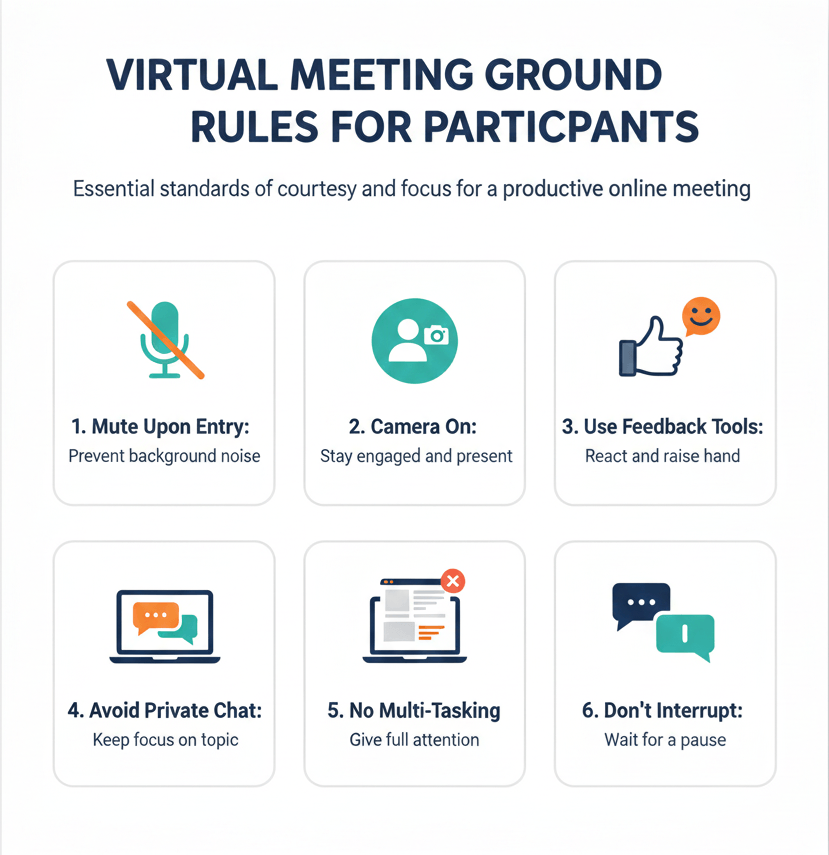
These ground rules are essential standards of professional courtesy and focus that all participants must follow to ensure minimal distraction, efficient use of time, and maximum productivity. By adhering to these guidelines, you demonstrate respect for the meeting’s agenda and every person present.
Always Mute Upon Entry
Make it a reflex to join the meeting with your microphone automatically muted. This prevents immediate noise disruption caused by computer fan noise, unexpected background chatter, or audio feedback, allowing the speaker to begin without interruption.
Stay Visibly Present (Camera On)
Unless specifically instructed otherwise, keep your camera on. Seeing faces fosters connection and trust. Having your camera on also holds you accountable, encouraging active listening and engagement rather than passive attendance while multitasking.
Use Non-Verbal Feedback Tools
Utilize the platform’s non-verbal cues (like the “thumbs up,” “raise hand,” or “clapping” reactions) to provide quick feedback or signal agreement without verbally interrupting the flow of the discussion. Reserve the “Raise Hand” feature for indicating you wish to speak or ask a substantial question.
Avoid Private Chat Discussions
Keep the meeting chat focused on the agenda, questions, or sharing relevant links. Using the private chat feature for side conversations is highly distracting and disrespectful to the presenter and other attendees who cannot see the exchange.
Practice Zero-Tolerance for Multi-Tasking
Resist the urge to check email, scroll social media, or work on other projects during the meeting. Your divided attention is often noticeable on camera, signaling disinterest. Dedicate your full, active attention, taking notes on the meeting topic only.
Know When to Interrupt (and When Not To)
Avoid speaking over others. Wait for a natural pause, or use the “Raise Hand” function to indicate you have a point. If the interruption is urgent (e.g., a technical problem), use the chat to inform the host immediately rather than verbally breaking the speaker’s rhythm.
Improve Your Virtual Meetings
In the new world of hybrid work, mastering virtual meeting etiquette is essential for professional success—it is the lens that focuses your message and the armor that protects your credibility. By consistently adhering to these ground rules, you minimize “Zoom fatigue” and guarantee that your expertise and preparation shine through every time you log in. However, flawless delivery is only half the battle; your content must match your professionalism.
Don’t let a great performance be undermined by lacklustre slides. Etiquette handles the delivery; SlideChef handles the visuals. Our free templates offers professionally designed templates today to combine perfect conduct with stunning design for guaranteed impact.
About The Author





Related Blogs