Table of Contents
- Graphic Design Trends for 2027
- What Are the Biggest Presentation Design Trends for 2027?
- Presentation Design Trends to Watch in 2027
- Which Presentation Design Trends Should You Use for Different Purposes?
- Presentation Design Trends to Avoid in 2027
- How to Apply These Presentation Design Trends to Your Slides
Presentation Design Trends 2027: 6 Styles Shaping Modern Slides
Graphic Design Trends for 2027
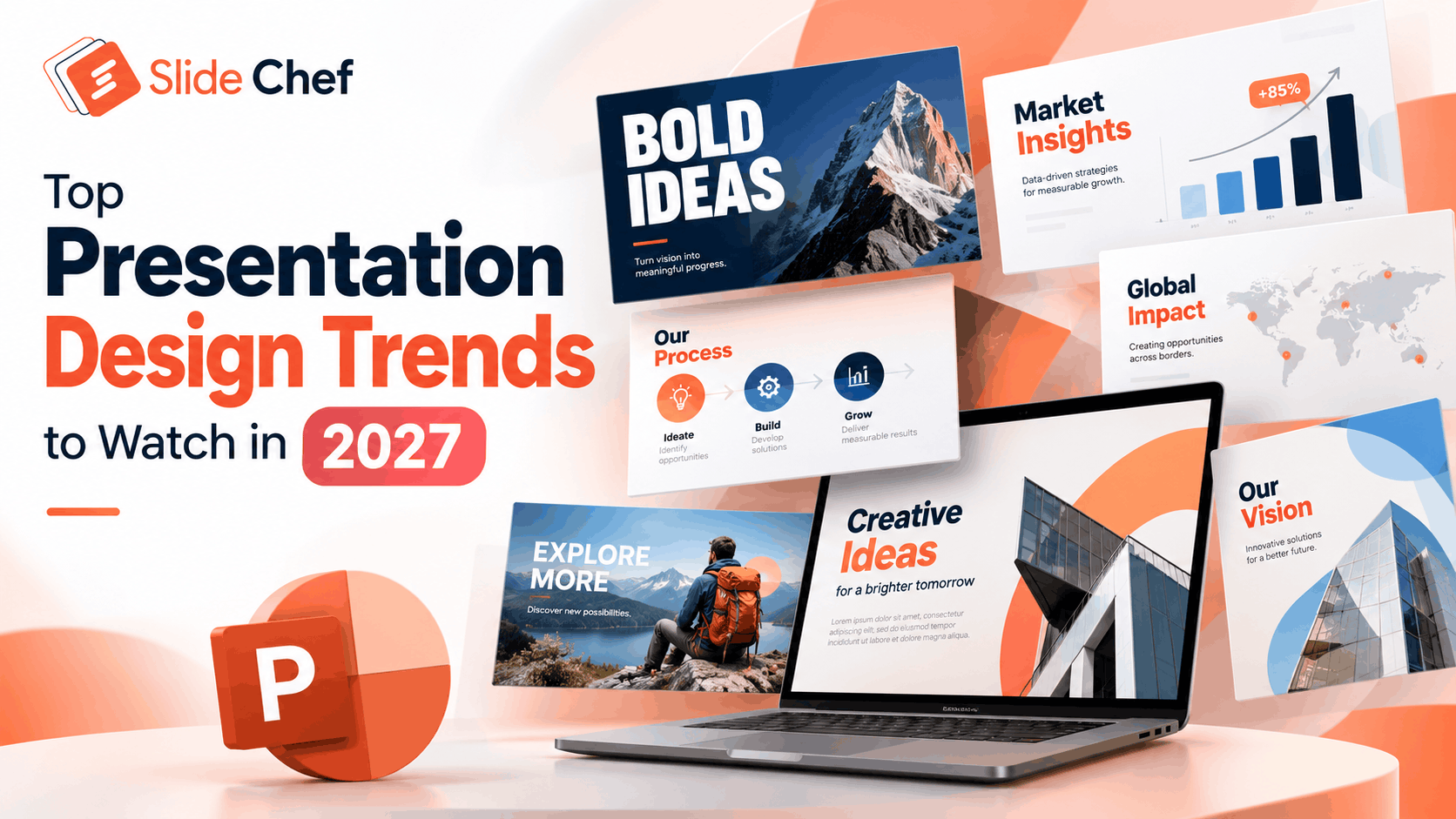
Presentation design is evolving, with new visual styles, AI-powered tools, and creative layouts changing how ideas are communicated. The presentation design trends for 2027 focus on more than aesthetics—they emphasize clear storytelling, engaging visuals, accessible layouts, and memorable audience experiences. From bold typography and bento grid layouts to AI-generated visuals, data storytelling, and purposeful animations, these trends offer fresh ways to make your slides stand out.
Whether you’re creating a business presentation, sales pitch, company profile, or educational deck, understanding these emerging trends can help you design presentations that look modern and communicate more effectively. In this guide, we’ll explore 12 presentation design trends to watch in 2027 and show you how to apply them to your next PowerPoint, Google Slides, or Canva presentation.
What Are the Biggest Presentation Design Trends for 2027?
The biggest presentation design trends for 2027 include oversized typography, bento grid layouts, editorial slide designs, AI-assisted visuals, expressive color palettes, data storytelling, purposeful animations, and accessible slide layouts. Designers are also exploring soft 3D graphics, interactive presentations, authentic photography, and mobile-friendly designs to create more engaging audience experiences. The key is to choose trends that support your message, improve readability, and reflect your brand identity. Whether you’re designing a business pitch, marketing deck, or educational presentation, these styles can help you create slides that look modern while keeping your content clear and easy to understand.
Presentation Design Trends to Watch in 2027
1. Oversized Typography and Bold Headlines
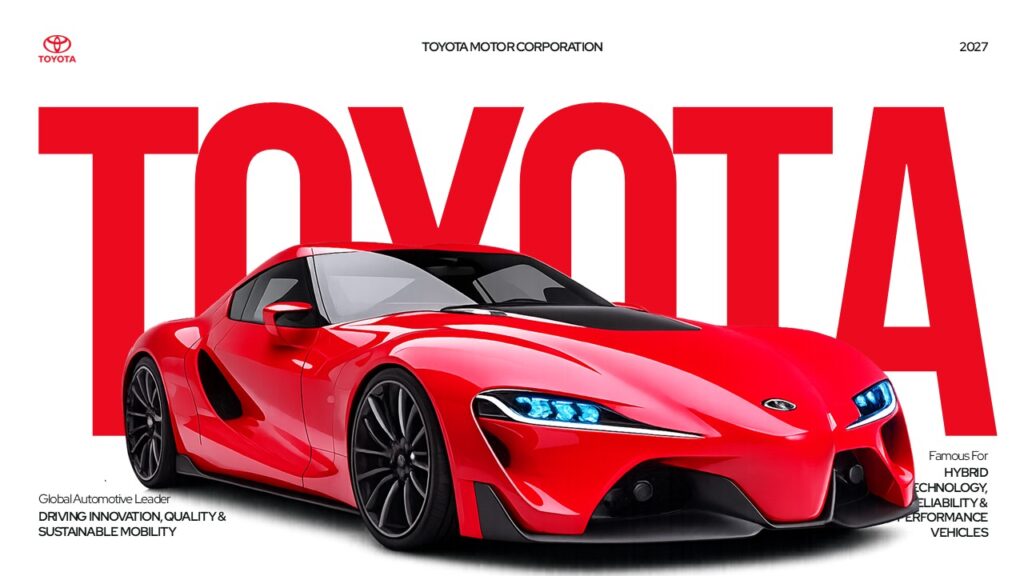
VIEW HERE : Toyota Motor Corporation Deck
Oversized typography is becoming an effective way to make presentations more expressive and communicate key messages instantly. Instead of filling slides with lengthy paragraphs, designers use large headlines, bold typefaces, and strong typographic hierarchy to direct attention toward the most important information. This approach creates visual impact while keeping slides clean and easy to scan.
In 2027, experiment with expressive fonts, contrasting font weights, and short, message-driven headlines. Pair large typography with generous whitespace and simple supporting visuals to avoid overwhelming the audience.
How to use this trend:
- Use bold, oversized headlines on title and section divider slides.
- Highlight important statistics or business results with large numbers.
- Combine a display font with a clean, readable body font.
- Keep supporting text concise and maintain strong contrast.
Best for: Business presentations, pitch decks, marketing slides, and keynote presentations.
2. Bento Grid Layouts for Structured Slides
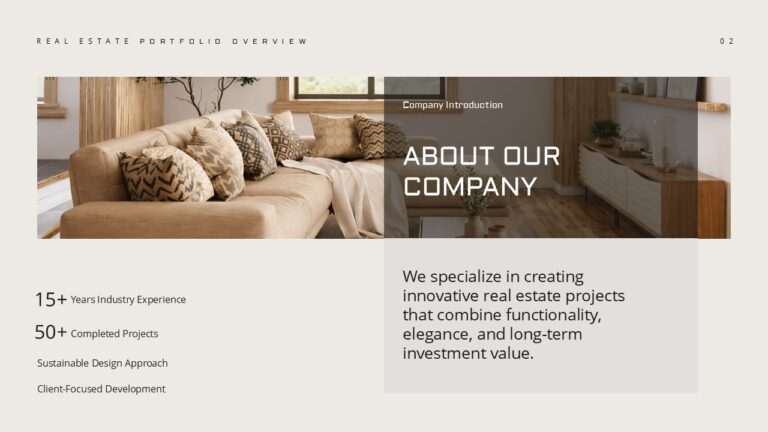
VIEW HERE : Real Estate Portfolio Overview
Bento grid layouts are a modern presentation design approach that organizes information into a series of structured, rectangular blocks. Inspired by modular interface design, this style combines different content types—such as statistics, images, icons, and short descriptions—within a consistent visual framework. The result is a slide that feels organized, visually balanced, and easy to navigate.
For 2027, bento grids are worth exploring when you need to present multiple related ideas without overcrowding the slide. You can vary the size of each block to emphasize important information while maintaining a consistent spacing system, color palette, and alignment.
How to use this trend:
- Create individual blocks for KPIs, business goals, or product features.
- Use larger blocks to highlight the most important message.
- Combine icons, short text, and supporting images within each grid.
- Maintain consistent spacing, rounded corners, and typography across blocks. Editorial Layouts and Asymmetric Slide Design.
3. Editorial Layouts and Asymmetric Slide Design

VIEW HERE : NVIDIA Microduck AI Robot Template
Editorial-style layouts bring the visual appeal of magazines and digital publications into presentation design. Instead of arranging every element in a predictable grid, this approach uses varied column widths, large photographs, expressive headlines, and intentional whitespace to create a more engaging visual flow. Asymmetric layouts add personality while guiding the audience naturally from one idea to the next.
For 2027, this style is worth exploring when you want your slides to feel more distinctive without sacrificing clarity. Use contrasting text and image sizes, align elements deliberately, and leave enough breathing room around important content. The goal is to create a composition that feels dynamic but still easy to follow.
How to use this trend:
- Combine oversized headlines with large, high-quality photographs.
- Place text and images in asymmetrical columns.
- Use whitespace to separate ideas and establish visual hierarchy.
- Alternate layouts throughout the deck while maintaining consistent fonts and colors.
4. AI-Assisted Visuals With a Distinctive Brand Identity

VIEW HERE : Threat of Runaway AI
Artificial intelligence is changing how designers create presentation visuals, from generating custom illustrations and background images to exploring different layouts and visual concepts. In 2027, AI-assisted design is worth watching because it can help teams develop visual ideas faster and create more distinctive slides without relying entirely on generic stock imagery.
However, the best results come from combining AI tools with human creativity. AI-generated visuals should support the presentation’s message, match the brand’s visual identity, and maintain a consistent style across the deck. Designers should also check generated images for inaccuracies, distorted details, and misleading representations before using them in business presentations.
How to use this trend:
- Generate custom illustrations that explain complex ideas.
- Create consistent visual concepts for product launches and marketing decks.
- Use AI to explore color palettes, compositions, and background styles.
- Review every generated visual for accuracy, quality, and brand consistency.
5. Expressive Color Palettes and Intentional Contrast
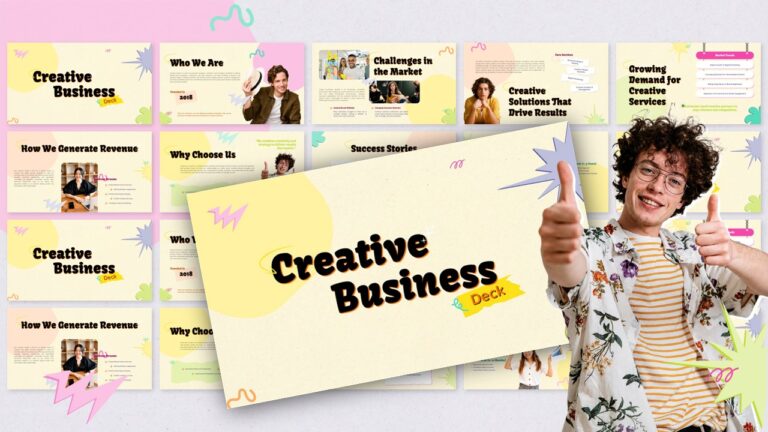
VIEW HERE : Creative Business Deck
Color plays an important role in how audiences perceive and remember a presentation. In 2027, designers can experiment with expressive color combinations, warm neutral backgrounds, bold accent colors, subtle gradients, and dark backgrounds to create slides with a distinctive visual identity. Rather than using multiple colors without a clear purpose, the focus should be on building a consistent palette that reinforces the message and makes important information stand out.
A well-planned presentation color palette also improves readability and helps maintain visual consistency across different sections. For example, a corporate presentation might combine navy blue with warm neutrals, while a creative marketing deck could use brighter accent colors against a restrained background.
How to use this trend:
- Choose two or three core colors and a small set of supporting accents.
- Use contrasting colors to highlight key statistics, headings, and calls to action.
- Apply gradients sparingly to backgrounds or decorative elements.
- Maintain sufficient contrast between text and background.
- Keep colors consistent across charts, icons, diagrams, and section dividers.
6. Data Storytelling and Simplified Infographic Slides

VIEW HERE : Project Management Dashboard
Data storytelling is an important presentation design direction for 2027, helping designers turn complex information into clear, meaningful insights. Instead of filling slides with spreadsheets or complicated charts, focus on one key takeaway at a time. Use simple graphs, highlighted statistics, infographic elements, and annotations to help audiences understand what the data means and why it matters.
How to use this trend:
- Highlight the most important statistic with a large number.
- Replace dense tables with simple charts or infographics where appropriate.
- Use annotations to explain significant changes and comparisons.
- Pair data with a concise headline that communicates the main insight.
Best for: Business reports, sales presentations, financial reviews, marketing analytics, and project dashboards.
Which Presentation Design Trends Should You Use for Different Purposes?
Not every presentation design trend works equally well for every audience. The best approach is to choose styles that support your presentation’s purpose, strengthen your message, and make information easier to understand. Here is how to apply the 2027 presentation design trends to different types of decks.
| Presentation type | Recommended design trends |
| Business presentations | Bento grids, data storytelling, accessible layouts |
| Sales presentations | Bold typography, authentic visuals, editorial layouts |
| Pitch decks | Oversized headlines, simplified charts, AI-assisted visuals |
| Marketing presentations | Expressive color palettes, custom imagery, purposeful animations |
| Educational presentations | Infographic slides, clear typography, accessible design |
| Company profiles | Editorial layouts, consistent brand colors, authentic photography |
| Project reports | Bento grids, KPI dashboards, data visualization |
How to Choose the Right Presentation Design Style
Before applying a trend, consider three important factors:
- Your audience: Use clean, structured layouts for formal business meetings and more expressive visuals for creative or marketing presentations.
- Your message: Choose charts and infographic slides for data-heavy content, and bold typography or imagery for key messages and storytelling.
- Your presentation format: Consider readability on projectors, laptops, and mobile screens, particularly when sharing slides digitally.
You do not need to use every trend in one presentation. Combining two or three complementary styles—such as bold typography, a consistent color palette, and simplified data visualization—can create a more polished result than applying too many visual effects.
Presentation Design Trends to Avoid in 2027
While exploring new presentation design trends can make your slides more engaging, some design choices can reduce readability and distract audiences from your message. The goal is not to follow every visual trend but to create presentations that balance creativity, clarity, and usability.
1. Overcrowded Slides and Long Bullet Lists
Filling slides with too much text makes it difficult for audiences to identify the most important information. Replace lengthy paragraphs with concise headlines, short supporting points, and meaningful visuals. If a topic requires more explanation, divide it across multiple slides.
2. Excessive Animations and Distracting Transitions
Too many animations, spinning objects, and elaborate transitions can interrupt the flow of a presentation. Use motion selectively to reveal information, explain processes, or emphasize important details.
3. Generic AI Visuals Without Brand Consistency
AI-generated images can speed up the design process, but inconsistent illustration styles, inaccurate details, and unrelated imagery can make a deck feel unprofessional. Review generated visuals carefully and maintain a consistent color palette and visual direction.
4. Low-Contrast Colors and Unreadable Typography
Light text on a light background, overly decorative fonts, and tiny labels can make slides difficult to read, especially in large rooms or on smaller screens. Prioritize readable font sizes, strong contrast, and clear typographic hierarchy.
5. Overcomplicated Charts and Unnecessary 3D Effects
Three-dimensional charts, excessive gradients, and decorative elements can obscure the information you’re trying to communicate. Choose simple charts, clear labels, and visual effects only when they improve understanding.
How to Apply These Presentation Design Trends to Your Slides
Understanding presentation design trends is only the first step. The real value comes from applying them in ways that make your slides clearer, more engaging, and easier to remember. Whether you’re creating a business report, sales pitch, or marketing deck, follow these practical steps to bring modern presentation design into your work.
- Start with one clear message per slide. Decide what you want your audience to remember before choosing a layout or visual style.
- Choose a consistent visual direction. Select a color palette, typography system, and image style that match your brand and presentation purpose.
- Use visuals to explain ideas. Replace dense paragraphs with charts, infographics, diagrams, or relevant images wherever they communicate information more effectively.
- Create a strong visual hierarchy. Use headline sizes, whitespace, alignment, and contrast to guide the audience through each slide.
- Add motion only when it serves a purpose. Use animations to reveal information progressively or demonstrate a process rather than adding effects to every element.
- Check readability and accessibility. Review font sizes, color contrast, chart labels, and slide layouts before presenting or sharing your deck.
- Test your presentation on different screens. Preview your slides on a laptop and, when relevant, a mobile device or projector to ensure your content remains readable.
Final Thoughts: Choose Presentation Design Trends That Make Your Message Clearer
The presentation design trends of 2027 reflect a growing emphasis on visual storytelling, purposeful creativity, and audience-friendly communication. From bold typography and bento grid layouts to AI-assisted visuals, data storytelling, and accessible slide design, these approaches offer practical ways to create more engaging presentations.
However, you don’t need to adopt every trend to make your slides stand out. Focus on the styles that complement your content, reflect your brand identity, and help your audience understand your message. With the right combination of visual elements and a clear structure, you can create presentations that look modern and communicate ideas effectively.
Ready to put these ideas into practice? Explore SlideChef’s PowerPoint templates to find editable slide designs, infographics, and layouts for your next presentation.
What are the biggest presentation design trends for 2027?
The key presentation design trends to watch in 2027 include oversized typography, bento grid layouts, editorial slide design, AI-assisted visuals, expressive color palettes, data storytelling, purposeful animations, and accessibility-first design. These approaches help create visually engaging presentations while keeping information clear and organized.
What colors will be popular in presentations in 2027?
Warm neutrals, bold accent colors, deep blues, earthy tones, and subtle gradients are worth exploring for modern presentation designs. The best palette depends on your brand identity, audience, and presentation purpose. Prioritize consistent color use and sufficient contrast rather than following color trends blindly.
How can I make my PowerPoint presentation look modern in 2027?
Use clear headlines, readable typography, intentional whitespace, consistent colors, and relevant visuals. Replace crowded text slides with diagrams, infographics, or simple charts. You can also experiment with modular layouts and subtle animations while keeping your message at the center of each slide.
How is AI changing presentation design?
AI tools can help generate visual concepts, create illustrations, suggest layouts, and speed up the initial design process. However, human review remains important for factual accuracy, visual consistency, brand alignment, and readability. AI works best as a design assistant rather than a substitute for thoughtful presentation planning.
Are minimalist presentations still effective in 2027?
Yes. Minimalist design remains useful when it helps audiences focus on essential information. However, minimalism does not mean every slide must be plain or empty. Bold typography, expressive colors, meaningful imagery, and carefully structured layouts can create visual interest without adding clutter.
About The Author





Related Blogs