Table of Contents
- Master’s Guide to Improve Your Presentation Skills
- What are Presentation Skills?
- Why Are Presentation Skills Important?
- What Are the 10 Essential Presentation Skills?
- How to Improve Presentation Skills: 10 Practical Tips
- How to Structure an Effective Presentation
- How to Use Visual Aids to Improve Presentation Skills
- Presentation Skills Examples in Real-Life Situations
- Common Presentation Skills Mistakes to Avoid
- Presentation Skills Checklist: Are You Ready to Present?
Presentation Skills: Definition, Examples and How to Improve Them
Master’s Guide to Improve Your Presentation Skills
Whether you’re a student preparing for a class presentation, a job seeker preparing for an interview, or a professional presenting ideas to clients and managers, strong presentation skills help you communicate clearly and make your message more persuasive. From organizing your key points to using confident body language and creating effective slides, every element influences how your audience understands and remembers your message. In this guide, you’ll learn the essential presentation skills, explore real-world examples, and discover practical ways to improve your delivery, engage your audience, and create presentations that achieve your goals.
What are Presentation Skills?
Presentation skills are the abilities you use to communicate information, ideas, or recommendations clearly and effectively to an audience. They combine verbal communication, body language, content organization, storytelling, and visual design to help people understand your message and stay engaged.
For example, a student explaining a research project, a marketing professional pitching a campaign, or a manager presenting quarterly results all rely on presentation skills to communicate their ideas with confidence. These skills involve more than speaking well—they also include understanding your audience, structuring your content logically, creating easy-to-follow slides, managing time, and answering questions effectively.
The goal of presentation skills is to make your message clear, engaging, and memorable. Whether you’re presenting in a classroom, a business meeting, or a virtual conference, developing these abilities helps you explain complex ideas, build credibility, and influence decisions.
Why Are Presentation Skills Important?
Presentation skills play an important role in academic success, professional growth, and effective communication. They help you explain ideas clearly, build trust with your audience, and make information easier to understand and remember. Whether you’re presenting a project to your classmates or pitching a business strategy to potential clients, strong presentation skills help you communicate with purpose and confidence.
Here are the key benefits of developing presentation skills:
- Improve communication: Organize your thoughts and explain complex information in a clear, logical way.
- Build confidence: Become more comfortable speaking in front of an audience, handling questions, and sharing your ideas.
- Engage your audience: Use storytelling, eye contact, relevant examples, and visual aids to maintain attention.
- Strengthen professional credibility: Present reports, proposals, and recommendations in a structured and persuasive manner.
- Support career growth: Communicate your expertise effectively during interviews, team meetings, client pitches, and leadership discussions.
- Influence decisions: Present evidence and arguments clearly to help your audience understand your recommendations and take action.
Developing these skills takes practice, but even small improvements in preparation, delivery, and slide design can make your next presentation more effective.
What Are the 10 Essential Presentation Skills?
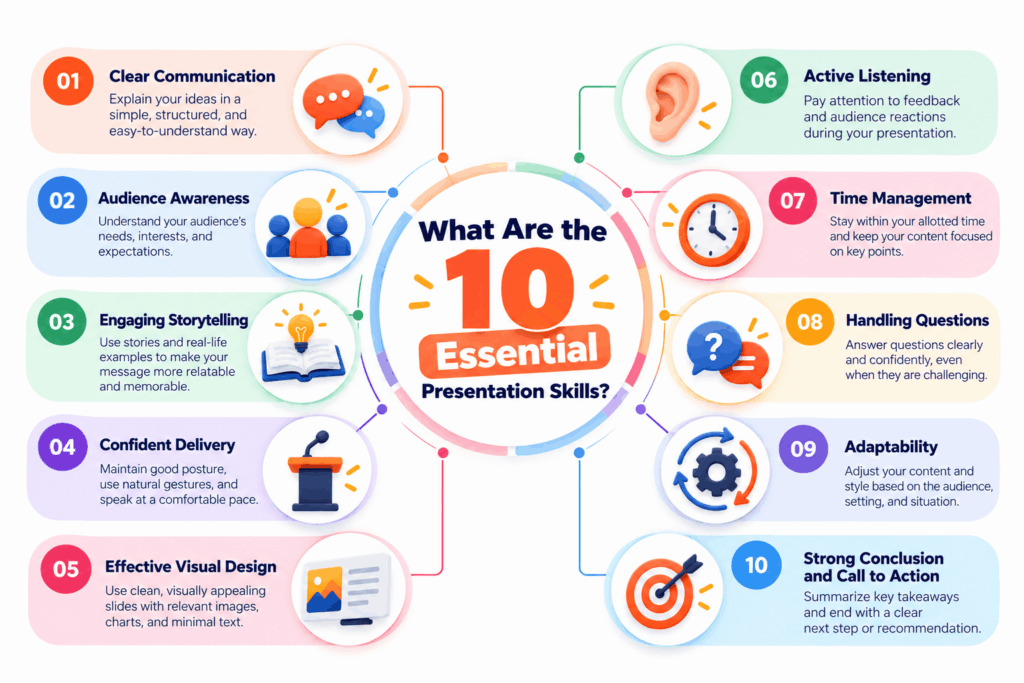
Effective presentations combine clear communication, thoughtful preparation, confident delivery, and engaging visuals. Developing these essential presentation skills helps you connect with your audience, explain ideas more effectively, and deliver your message with confidence.
1. Verbal Communication
Verbal communication is the ability to explain your ideas using clear, concise, and easy-to-understand language. Choose words that suit your audience, avoid unnecessary jargon, and emphasize your main points so listeners can follow your message.
2. Body Language and Eye Contact
Your nonverbal communication influences how your audience perceives your confidence and credibility. Maintain natural eye contact, use purposeful hand gestures, and adopt an open posture to appear approachable and engaged.
3. Voice Modulation and Pacing
Vary your tone, volume, and speaking speed to highlight important points and keep your audience interested. Avoid speaking too quickly, and use short pauses to give listeners time to understand key information.
4. Audience Awareness and Engagement
A good presenter adapts their message to the audience’s needs, knowledge, and expectations. Use relevant examples, ask questions, and connect your ideas to real-life situations to make your presentation more meaningful.
5. Content Organization
Organize your presentation into a clear introduction, main body, and conclusion. Arrange ideas in a logical sequence, focus on a central message, and use transitions to help your audience follow the discussion.
6. Storytelling and Examples
Stories, case studies, and relatable examples make information easier to understand and remember. Instead of presenting facts alone, explain how they apply to real situations your audience recognizes.
7. Visual Communication and Slide Design
Well-designed slides help communicate complex information quickly and clearly. Use readable fonts, consistent layouts, relevant images, charts, and infographics. Keep text concise and make sure every visual supports your main message.
8. Confidence and Stage Presence
Confidence comes from preparation, practice, and familiarity with your material. Stand comfortably, speak with purpose, and focus on communicating your message rather than trying to deliver a perfect performance.
9. Time Management and Preparation
Plan your content according to the available presentation time. Rehearse beforehand, prioritize your most important points, and leave enough time for questions when needed. Practicing with a timer helps you avoid rushing or running over schedule.
10. Active Listening and Handling Questions
Effective presenters listen carefully to audience questions and respond directly. If you don’t know an answer, acknowledge it honestly and explain how you would find the information rather than guessing.
Mastering these ten presentation skills helps you deliver clearer, more engaging, and more persuasive presentations in academic and professional settings. Start by identifying one or two areas for improvement and practice them consistently in your next presentation.
How to Improve Presentation Skills: 10 Practical Tips
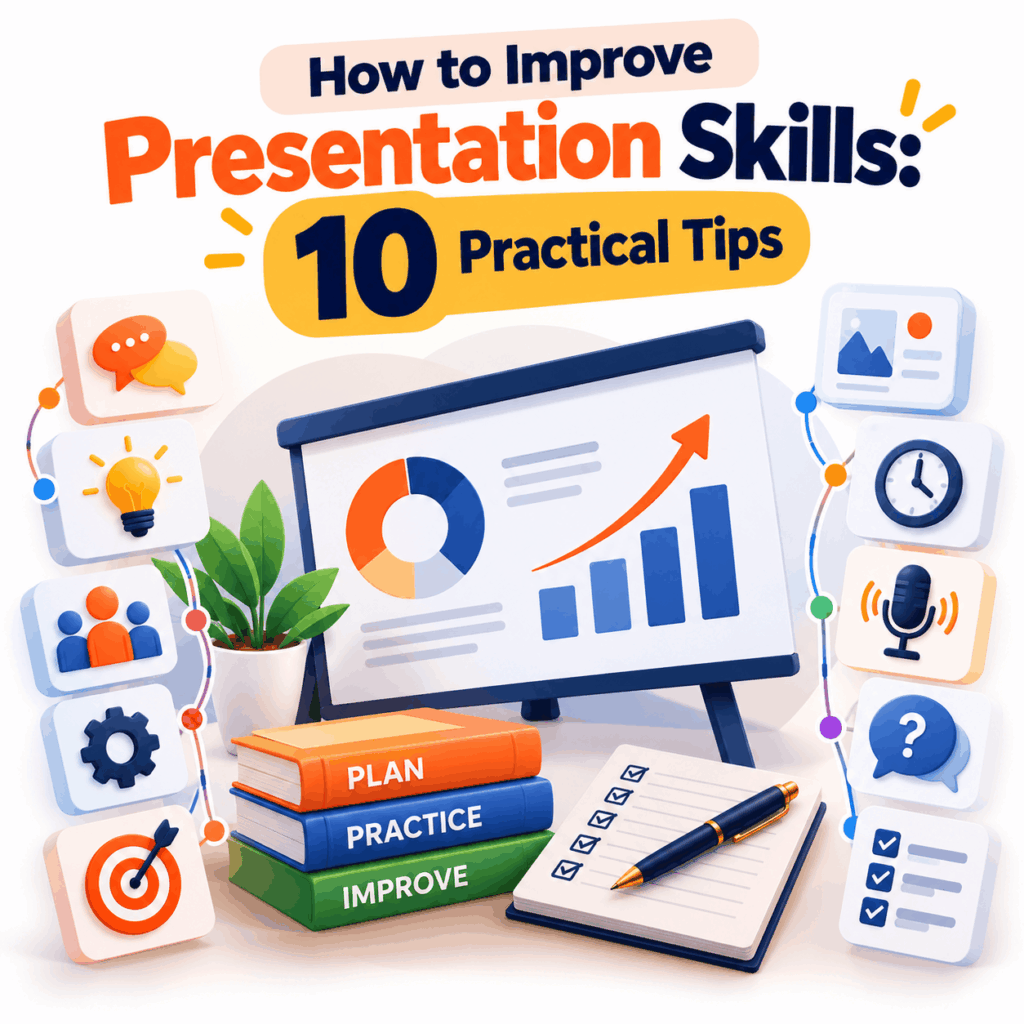
Improving your presentation skills takes practice, preparation, and a willingness to learn from each experience. Whether you’re a student preparing for a class presentation or a professional delivering a business pitch, small changes in how you organize your content, communicate your ideas, and design your slides can make a noticeable difference.
Here are ten practical tips to help you become a more confident and effective presenter.
1. Understand Your Audience and Purpose
Before creating your presentation, identify who will be listening and what they need to learn. Consider their interests, existing knowledge, and expectations. This helps you choose relevant examples, the right level of detail, and a message that addresses their needs.
2. Create a Clear Presentation Outline
Organize your ideas before designing slides. Start with an introduction that establishes your purpose, develop two or three main points, and finish with a conclusion that reinforces your key message. A logical structure makes your presentation easier to follow.
3. Start With a Compelling Opening
Capture attention within the first few moments by asking a relevant question, sharing a surprising fact, telling a short story, or presenting a relatable problem. Follow your opening with a clear explanation of what the audience will learn.
4. Keep Your Message Simple and Focused
Avoid overwhelming your audience with too much information. Focus on the most important ideas and explain complex concepts using straightforward language. If a detail doesn’t support your main objective, consider removing it.
5. Use Stories, Examples, and Data
Make your message more relatable by connecting ideas to real situations. Use examples to explain concepts, stories to create an emotional connection, and relevant data to support your claims. Always provide context so your audience understands why the information matters.
6. Design Clear and Engaging Presentation Slides
Use slides to support your speech rather than replace it. Choose readable fonts, consistent colors, and clean layouts. Replace lengthy paragraphs with concise points, meaningful images, charts, or infographics where appropriate. Presentation templates can help you maintain visual consistency and save design time.
7. Practice Aloud and Record Yourself
Rehearse your presentation from beginning to end rather than simply reading your notes silently. Record a practice session and review your pace, clarity, gestures, and use of filler words. Repeat the process until your delivery feels natural and fits the allotted time.
8. Improve Your Body Language and Voice
Stand or sit with an open posture, maintain natural eye contact, and use gestures to emphasize important ideas. Vary your tone and pace to avoid sounding monotonous. Pause after key points to give your audience time to process the information.
9. Manage Nervousness Through Preparation
Feeling nervous before a presentation is common. Reduce anxiety by familiarizing yourself with the venue or meeting platform, practicing your opening, and taking a few slow breaths before you begin. Focus on helping your audience understand your message rather than trying to eliminate every sign of nervousness.
10. Ask for Feedback and Keep Improving
After each presentation, ask a colleague, teacher, or trusted listener what worked well and what could be improved. Focus on specific areas such as clarity, pacing, slide design, and audience engagement. Apply that feedback to your next presentation.
The key to improving presentation skills is consistent practice. Choose one or two techniques to work on at a time, evaluate your progress, and gradually build the confidence to present effectively in any setting.
How to Structure an Effective Presentation
A well-structured presentation helps your audience understand your message, follow your ideas, and remember the most important points. Whether you’re delivering a business proposal, an academic project, or a team update, organizing your content into three main parts—an introduction, a body, and a conclusion—creates a clear and logical flow.
1. Introduction: Capture Attention and Set the Purpose
Start with a question, a relevant fact, a short story, or a problem your audience can relate to. Briefly introduce your topic, explain why it matters, and establish what the audience will learn from your presentation.
2. Main Body: Explain Your Key Points
Organize your main content into two to four key points, depending on the topic and available time. Support each point with relevant examples, evidence, data, or visuals. Use clear transitions between sections so your audience can follow your reasoning without getting lost.
3. Conclusion: Reinforce Your Message
Summarize your main takeaways without repeating every detail. End with a memorable statement, a recommendation, or a clear call to action that tells your audience what to remember or do next.
Pro tip: Outline your presentation before creating slides. Give each slide one clear purpose and ensure every section supports your central message. This makes your presentation easier to deliver and your content easier for the audience to understand.
How to Use Visual Aids to Improve Presentation Skills
Visual aids make presentations easier to understand by turning complex information into clear, engaging visuals. Well-designed slides help your audience focus on key messages, understand data, and remember important points. To improve your presentation skills, learn how to use visuals that support your message rather than distract from it.
1. Keep Slides Simple and Focused
Give each slide one main idea and remove unnecessary text. Use short phrases, clear headings, and enough whitespace to make information easy to scan. Avoid placing your entire speech on the slides.
2. Choose Readable Fonts and Consistent Colors
Use legible fonts, sufficient text size, and strong contrast between text and background. Maintain consistent colors, typography, and layouts throughout your presentation to create a professional appearance.
3. Use Images, Charts, and Infographics Effectively
Choose visuals based on the information you want to communicate. Use charts to explain data, diagrams to show processes, and images to illustrate concepts. Relevant visuals can make complicated ideas easier to grasp than lengthy text alone.
4. Highlight Important Information
Use headings, bold text, contrasting colors, or simple visual cues to draw attention to your most important points. Avoid highlighting everything, as this makes it harder for your audience to identify what matters most.
5. Use Presentation Templates to Save Time
Creating every slide from scratch can take time and lead to inconsistent designs. Professionally designed presentation templates provide ready-made layouts, coordinated typography, and visual elements that help you build a polished deck more efficiently.
Explore SlideChef’s presentation templates to find layouts for business presentations, educational projects, reports, and other presentation needs.
Pro tip: Before presenting, review every slide and ask yourself: Does this visual make my message clearer? If it doesn’t help the audience understand your point, simplify it or remove it.
Presentation Skills Examples in Real-Life Situations
Presentation skills look different depending on your audience, purpose, and setting. A student explaining a research project needs to simplify information, while a business professional pitching an idea must persuade decision-makers. Understanding how these skills apply in real situations helps you choose the right communication techniques for every presentation.
1. Presentation Skills for Students
Students use presentation skills to explain research, share project findings, and demonstrate their understanding of a subject. A well-organized introduction, clear explanations, relevant visuals, and confident delivery help classmates and teachers follow the topic. For example, a student presenting a science project might use a diagram to explain an experiment rather than relying on lengthy paragraphs.
2. Presentation Skills in the Workplace
Professionals use presentation skills to communicate project updates, explain performance reports, and recommend business decisions. Clear data visualization, concise explanations, and logical organization help colleagues and managers understand important information. For example, a project manager might present a timeline and progress chart to explain whether a project is meeting its deadlines.
3. Presentation Skills for Business Pitches
Business pitches require presenters to communicate value, establish credibility, and persuade an audience to take action. Effective storytelling, relevant evidence, compelling visuals, and a clear call to action are especially useful. For example, a sales professional pitching a product to a potential client might focus on the client’s problem and demonstrate how the product addresses it.
4. Presentation Skills for Online Meetings
Virtual presentations require additional attention to camera presence, audio quality, screen sharing, and audience engagement. Use clear slides, speak at a comfortable pace, look toward the camera when appropriate, and invite questions to maintain interaction. For example, a team leader presenting quarterly results online might share a concise dashboard and pause regularly for discussion.
Regardless of the setting, effective presentation skills combine preparation, clear communication, audience awareness, and appropriate visual aids. Adapting these skills to your situation helps you communicate your message more effectively and achieve your presentation goals.
Common Presentation Skills Mistakes to Avoid
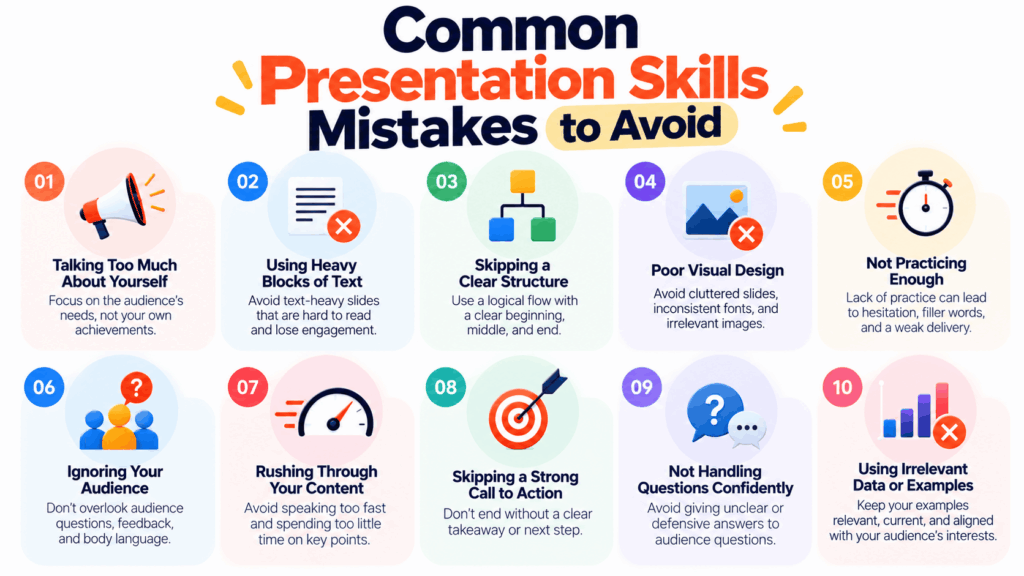
Even well-prepared presenters can lose their audience by making simple mistakes. Poor slide design, unclear messaging, and rushed delivery can make information difficult to understand. Recognizing these problems helps you improve your presentation skills and deliver a more engaging, professional presentation.
1. Reading Directly From Slides
Reading every word on your slides makes your delivery feel less natural and reduces audience engagement. Instead, use short bullet points as prompts and explain the details in your own words.
2. Overloading Slides With Text
Crowded slides force your audience to read instead of listening to your explanation. Keep content concise, focus on one main idea per slide, and use relevant visuals to communicate complex information.
3. Speaking Too Quickly or Monotonously
Rushing through your content can make important points difficult to follow, while a flat tone can reduce interest. Practice speaking at a comfortable pace, vary your tone, and pause after key ideas.
4. Ignoring Audience Needs
A presentation that focuses on information your audience doesn’t need can quickly lose their attention. Adapt your content, examples, and level of detail to their interests, knowledge, and expectations.
5. Skipping Practice and Time Management
Improvising without sufficient preparation increases the risk of forgetting important points or exceeding your time limit. Rehearse aloud, check your timing, and prepare for likely questions before presenting.
6. Ending Without a Clear Conclusion
Finishing abruptly can leave your audience unsure about the main takeaway. Summarize your key message and end with a recommendation, a memorable statement, or a clear call to action.
Remember: Effective presentations aren’t about delivering every detail perfectly. They’re about helping your audience understand and remember what matters. Focus on clear communication, purposeful visuals, and consistent practice to make each presentation better than the last.
Presentation Skills Checklist: Are You Ready to Present?
Before delivering a presentation, take a few minutes to review your preparation, content, and delivery. A simple checklist helps you identify gaps, reduce last-minute stress, and ensure your presentation communicates the intended message effectively.
Use this checklist before your next presentation:
- Define your objective: Know what you want your audience to learn, understand, or do.
- Understand your audience: Tailor your examples, language, and level of detail to their needs.
- Organize your content: Include a clear introduction, logically ordered main points, and a strong conclusion.
- Review your slides: Check readability, spelling, consistency, and the relevance of visuals.
- Practice your delivery: Rehearse aloud, check your timing, and practice transitions between slides.
- Prepare for questions: Anticipate likely questions and gather supporting information.
- Check your equipment: Test your microphone, projector, internet connection, or screen-sharing setup.
- Manage your nerves: Take slow breaths, review your opening, and focus on communicating your message.
- Engage your audience: Plan opportunities for questions, discussion, or interaction where appropriate.
- Finish with a clear takeaway: End with a summary, recommendation, or actionable next step.
Once you’ve reviewed each item, you’re better prepared to deliver a confident and effective presentation. Afterward, reflect on what went well and what you can improve to continue developing your presentation skills.
What are the five most important presentation skills?
The five most important presentation skills are clear communication, confident delivery, audience engagement, logical content organization, and effective visual design. Together, these skills help you explain ideas clearly and keep your audience interested.
How can I improve my presentation skills quickly?
Practice your presentation aloud, simplify your main message, record yourself to identify areas for improvement, and ask someone for feedback. Focus on one or two specific improvements, such as speaking at a steady pace or maintaining natural eye contact.
What are some examples of presentation skills?
Examples include explaining complex information in simple language, using charts to communicate data, maintaining eye contact, telling relevant stories, managing presentation time, and answering audience questions clearly.
How can I overcome nervousness during a presentation?
Prepare your content in advance, rehearse your opening, and practice in front of a friend or colleague. Taking slow breaths before speaking and focusing on helping your audience understand the message can also make presenting feel more manageable.
What is the difference between presentation skills and public speaking skills?
Public speaking primarily focuses on delivering spoken messages to an audience. Presentation skills cover a broader set of abilities, including planning content, organizing information, designing slides, using visual aids, engaging listeners, and delivering the message effectively.
How can I make my presentation slides more effective?
Use concise text, readable fonts, consistent colors, and clear layouts. Choose relevant images, charts, or infographics to explain important ideas, and avoid overcrowding slides with unnecessary details.
About The Author





Related Blogs