Download Pokemon Go Game Template
Item ID: SCF01766
PowerPoint,Canva
100% Fully Customizable
Free to use
Liked the template? Support SlideChef!
Give us Donation! Help to keep our Templates Free for ever
Hi there! We hope you’re enjoying SlideChef for your presentations. As a free platform, we rely on donations to keep things running. If you find our resources helpful, please consider a small donation. Thank you!
How to Use this Pokemon Go Game Template
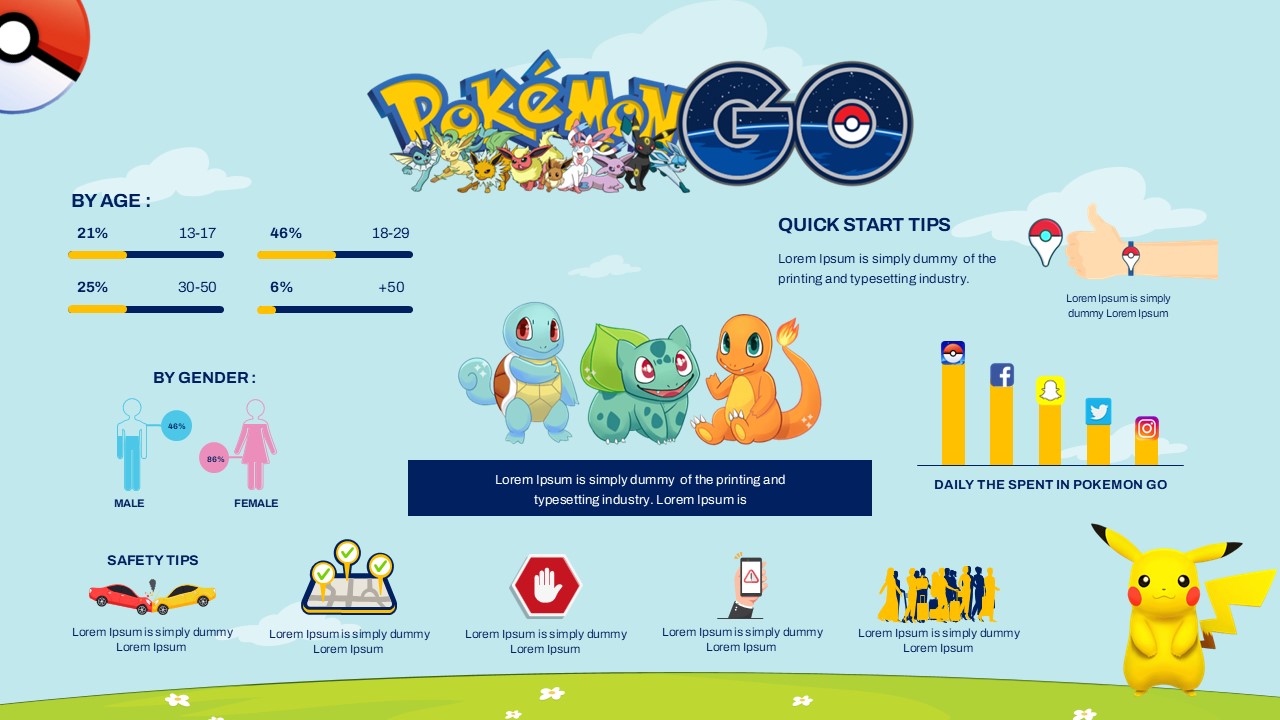
The Pokémon GO Game Presentation Template is engineered for seamless customization across Microsoft PowerPoint and Canva. Whether you are analyzing augmented reality game mechanics, organizing a local raid tournament, or delivering an interactive classroom project, use this step-by-step guide to build your presentation.
How to Use in Microsoft PowerPoint
- Unlock the Presentation: Open the downloaded .pptx file in Microsoft PowerPoint and click Enable Editing on the yellow security alert bar at the top of the window.
- Set Your Title & Theme: Edit the opening slide and the What Is Pokémon GO? slide to introduce your specific game review, community event, or AR technology case study.
- Build Your Pokémon Roster: Navigate to the Pokémon Collection slide to adjust stats (CP, HP, Type, and Level) or swap out cards to showcase your favorite team lineup.
- Explain Core Game Mechanics: Customize the 4-phase framework on How the Game Works (Explore, Discover, Catch, Train) and outline encounter strategies using the mobile AR catch-screen mockup.
- Compare Team Battle Strategies: Tailor the 3-column battle overview to break down the distinct traits, leaders, and tactical focuses of Team Mystic, Team Valor, and Team Instinct.
- Map Progression & Live Events: Update the Level 1 to Level 40+ progression ladder on Player Progress and list Community Days, raid hours, and special research tasks on the Events & Community slide.
- Present Live or Export: Press F5 to deliver a dynamic full-screen presentation, or go to File > Export > Create PDF/XPS to distribute high-quality printouts, tournament rules, and trainer handbooks.
How to Use in Canva
- Launch the Template: Click the provided Canva template link and select Use template for new design to generate an editable version in your Canva dashboard.
- Customize Text & Statistics: Double-click any text container to edit headings, bullet points, and player stats across the entire 10-slide deck.
- Drag-and-Drop Screenshots: Upload your own mobile gameplay clips, high-resolution screenshots, or event photos and drag them directly into the pre-set image containers.
- Adjust Color Palettes: Modify the vibrant blue, red, and yellow accent colors across the Team Mystic, Valor, and Instinct cards to align with your organization's brand or event aesthetic.
- Collaborate in Real Time: Use the Share button in the top-right corner to invite co-hosts, teammates, or designers to edit and polish the deck simultaneously.
- Host Live or Download: Deliver your interactive slideshow straight from your browser by clicking Present, or choose Share > Download > PDF Standard (or PNG) to export digital guides, social media carousels, and visual event schedules.